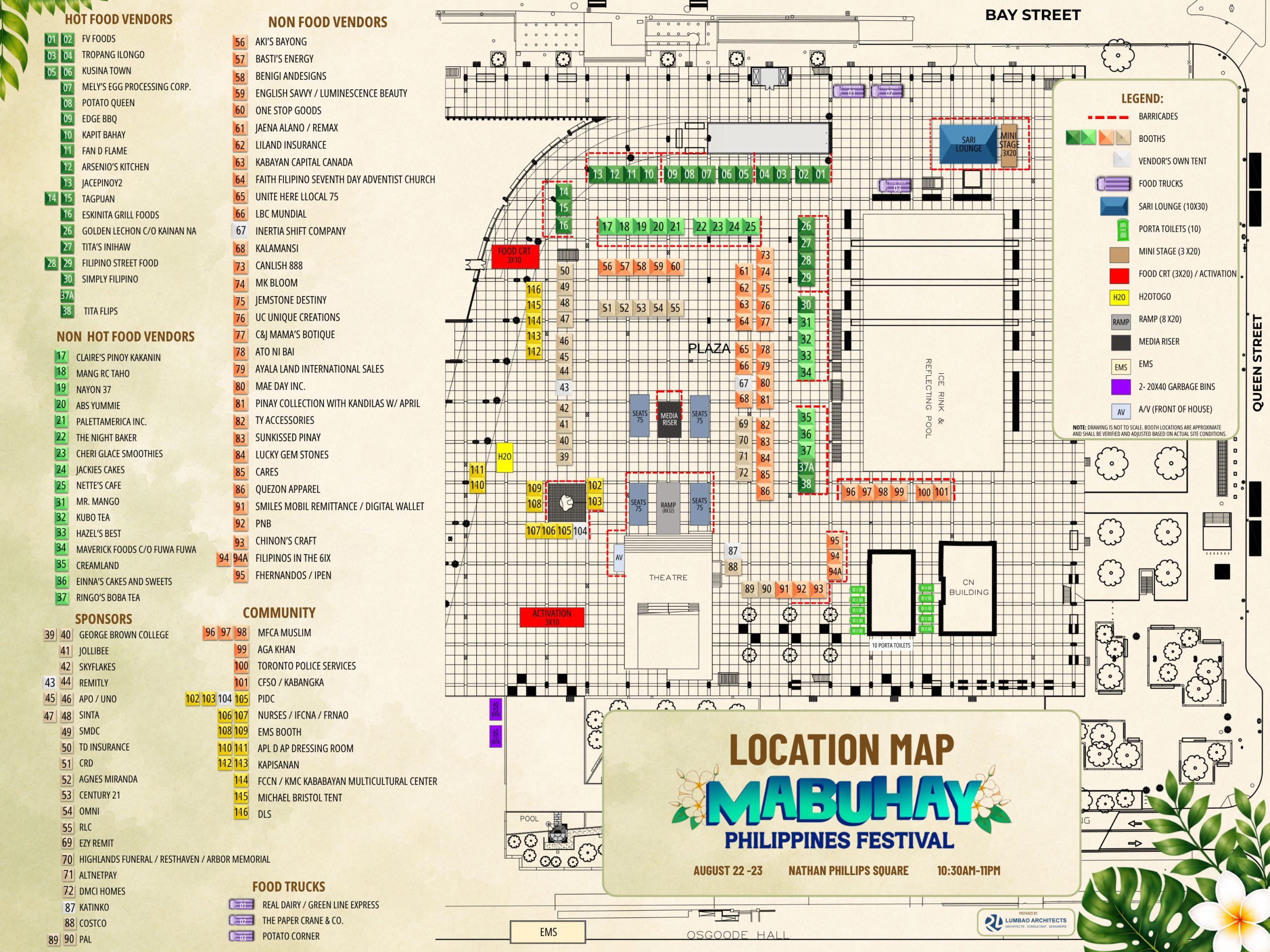
HOW TO DOWNLOAD AND VIEW THE FESTIVAL MAP
For the clearest view, please save the map to your phone before zooming in.
Tap the Festival Map below.
When the map opens, press and hold your finger directly on the map.
Choose the option for your phone:
- iPhone: Tap “Save to Photos” or “Save Image.”
- Android: Tap “Download Image” or “Save Image.”
Open the saved map in your Photos, Gallery or Downloads app.
Place two fingers on the map and spread them apart to zoom in. Move the map with one finger to view different areas.